Cyber Essentials Scoping: What Is In, What Is Out, and How to Not Get It Wrong
Scoping is the single most misunderstood part of the Cyber Essentials submission. Get it wrong and your whole assessment is compromised. This guide covers remote workers, BYOD, cloud services, legacy systems, sub-set scoping, and the five scoping traps that most often fail assessments.

Section 01
Cyber Essentials Scoping: What Is In, What Is Out, and How to Not Get It Wrong
Scope is the foundation of every Cyber Essentials submission. Every control requirement - patching, firewalls, MFA, malware protection, user access - applies to the scope you declare. Declare your scope wrong and every answer further down the questionnaire is answering the wrong question.
I see scoping mistakes more often than any other single issue at the assessor review stage. They are also the mistakes that take the longest to fix, because correcting them means re-answering earlier sections. A well-defined scope at the start saves a lot of time later.
This guide walks through the decisions that matter: what counts as an in-scope device, how remote workers and BYOD are handled, when you can legitimately exclude a sub-set, and the five patterns that most often get flagged during feedback.
Section 02
The scope rule in one sentence
Start with the IT infrastructure used for your business, or an agreed well-defined and separately managed subset. Include applicable end-user devices and cloud services storing or processing organisational data. Documentation alone does not authorise an exclusion. The NCSC requirements, pages 6-12, set the actual boundaries.
"Organisational data" is broad. It includes email, documents, CRM records, accounting data, source code, customer databases, and anything else your organisation holds or processes. It is not limited to personal data under GDPR.
"Access or process" includes: viewing in a browser, receiving in an email client, editing in a local application, printing, and cloud-syncing. If it touches the data, it is in scope.
Section 03
The default scope: whole organisation
Whole-organisation scope provides the broadest protection. Include the applicable internet-connected infrastructure, remote and BYOD end-user devices, and cloud services. Ordinary privately owned home routers are excluded; organisation-supplied routers are included.
A business unit can form an agreed well-defined and separately managed subset. Identify its business unit, network boundary and physical location and agree the scope with the certification body before assessment. A smaller scope is not automatically invalid because another team uses a shared identity service; demonstrate the actual management and network boundary.
Section 04
Can I put my legacy server on a separate VLAN and exclude it?
An ordinary subset is segregated by a firewall or VLAN. IASME's subset guidance permits controlled communication across the agreed boundary; it does not impose five compulsory tests for separate identities, credentials, data, rooms and locks.
Document the boundary, management responsibility, firewall/VLAN configuration and reason for partial scope. A VLAN name alone is not proof of effective segregation, and a separate tenant alone is not sufficient either.
Unsupported software has a stricter condition. The security-update rules require its removal from in-scope devices, or removal from scope through a defined subset preventing all traffic to or from the internet. Do not confuse that condition with an ordinary subset that can communicate under controlled rules. Agree the actual design with the certification body.
Section 05
How do I scope 100% remote workers with no office firewall?
For an entirely remote organisation, scope is simpler than people expect. You do not need an office firewall because you do not have an office. Your scope is the set of devices used for work - typically laptops, phones, and cloud services.
The firewall requirement in this scenario is met by the software firewall on each device. The question set accepts this explicitly. Every Windows device has Windows Firewall; every Mac has the built-in firewall in System Settings. The requirement is that the firewall is enabled, configured to block inbound connections by default, and cannot be disabled by standard users.
The items that trip up remote-first organisations:
- Home routers. Ordinary privately owned home routers are not in scope. Organisation-supplied routers are in scope. You do not need to certify the wifi routers in your employees' homes. What you need is that the laptop is protected regardless of which network it joins - which is exactly what a properly configured software firewall provides.
- Home printers and IoT devices. Not in scope, unless you are sending organisational data to them. A home printer that staff use personally is not in scope. A printer processing organisational data must be assessed against the applicable scope and controls; MDM is not what determines inclusion.
- Personal devices used to check email. This is where BYOD lives. See the next section.
- Cloud infrastructure. Any cloud service that holds organisational data is in scope. Microsoft 365, Google Workspace, Slack, Dropbox, your CRM, your source control - all in scope.
The scoping language for a fully remote organisation usually reads: "All company-issued laptops and company-issued phones; all cloud services listed in Appendix A; Microsoft 365 identity platform. No physical office." That is an illustrative starting point, not a guaranteed passing answer. Add all actual BYOD use and cloud services and agree the boundary with the certification body.
Section 06
Do BYOD phones count if they only check email?
Yes. If a personal device accesses organisational email, it is in scope for Cyber Essentials.
This is the trap that most often catches organisations. Applicants tell me "our BYOD phones don't really count because they only do Outlook Web Access" and the scheme treats that as explicitly in-scope. Email is organisational data. A device that accesses email is a device that accesses organisational data.
The workable positions are:
Position 1: Bring BYOD into the assessed scope. Apply the relevant device controls and declare the devices accurately. MDM is a useful way to enforce and evidence a baseline, but MDM enrolment and remote wipe are not universal Cyber Essentials requirements. Native controls can also be suitable if their effective configuration meets the requirements.
Position 2: Restrict email access to managed devices only. Configure your email platform so only enrolled devices can connect. BYOD is effectively removed from the estate because no personal device can reach the mailbox. This is a stronger position but requires a more mature identity setup.
Position 3: Blanket ban. No personal devices access any organisational data. Everything goes through company-issued hardware. Rarely practical but it does exist.
What does not work is "we allow BYOD but we think it is out of scope". The questionnaire will ask directly about mobile devices used to access organisational email. Answering "none" when you know staff check email on personal phones is dishonest and assessors will typically pick this up during feedback.
A related question: what about Microsoft 365 accessed via a web browser on a personal laptop? Same answer. If organisational data is reached via a personal device, that device is in scope. Apply and evidence the relevant controls, restrict access to compliant devices, or stop allowing the pattern. Browser-only access is not an exemption.
Section 07
Are cloud services in scope?
Yes, if they store or process organisational data. They cannot then be excluded from scope. The v3.3 question set is explicit about this. Any cloud service that holds organisational data - email, files, messaging, CRM, accounting, HR, code repositories - is in scope, and the v3.3 MFA requirement applies to every user account on every one of those services.
The specific things the assessor will want to see:
- MFA is enabled for every user on every in-scope cloud service, not just admins
- Account creation and approval are controlled; central identity and SSO are useful options, not compulsory products
- Leavers are promptly removed from every in-scope service
- No shared accounts (no "admin@company.co.uk" with a shared password)
A scoping mistake I see: applicants list their main SaaS platforms (Microsoft 365, Google Workspace) in scope but forget the second-tier ones - the CRM the sales team uses, the accounting platform the finance team uses, the design tool the marketing team uses. If those services hold organisational data, they are in scope, and MFA has to be enforced on them too.
The practical test: make a list of every SaaS tool that any staff member uses with a work account. Every one is in scope. If one of them does not support MFA, you need to replace it, remove the data from it, or implement another compliant authentication route. A documented cloud-MFA exception is not a waiver.
Section 08
What about "free tier" accounts - Mailchimp, Canva, Trello, Zapier?
If the account holds organisational data - subscriber lists, brand assets, project plans, workflow automations - it is in scope. The scheme does not care whether you are paying for the service. It cares whether it touches your data.
A trap: several free cloud services default to TOTP-based MFA that requires a paid tier to enforce. If your team uses free-tier Canva or free-tier Trello and you have not enforced MFA because the free tier does not let you, you have an automatic compliance gap. Either upgrade to the paid tier, verify effective MFA for every relevant user through a supported per-user route, or remove organisational data from the service.
Section 09
What is the smallest legitimate scope?
There is no compulsory minimum island of separate identity tenants, cloud accounts and physical locks. A partial scope must be well-defined, separately managed and segregated by a firewall or VLAN, with its business unit, network boundary and physical location clear.
Agree the proposed boundary with your certification body and justify exclusions. Include the actual end-user devices and applicable cloud services; a scope excluding end-user devices is unacceptable. IASME's subset guidance explains controlled boundary communication. Unsupported software additionally requires the no-internet-traffic condition described above.
Section 10
The five scoping patterns that most often fail
1. Undeclared BYOD. Applicant answers "we do not allow BYOD" when they do. Picked up in feedback when the assessor notices the questionnaire claims no mobile devices but references remote working.
2. Unclear subset boundary. Applicant names a team but does not show its separate management and effective firewall/VLAN boundary. Shared identity alone neither approves nor disqualifies a subset.
3. Forgotten cloud services. Applicant lists Microsoft 365 but forgets the CRM, the accounting tool, the HR platform, and the project management tool. Assessor asks about each and the submission fails to maintain the MFA posture.
4. VLAN-as-isolation. Applicant believes a separate VLAN is sufficient isolation. It is not. Subject to the same questions as the main estate unless genuinely segmented.
5. Implicit "office only" scope. Applicant describes controls in terms of the head office but the organisation has remote workers. Remote devices are in scope by default and the submission has to cover them.
If you recognise your organisation in any of these, fix the scope declaration before submitting. Catching a scoping mistake at the feedback stage requires re-answering multiple questionnaire sections, not just the scope section.
Section 11
The pre-submission scoping checklist
Before you click submit, answer six questions honestly:
1. Every device used for work. Do you have a list of every laptop, desktop, phone, tablet, server, router, firewall, and switch that touches organisational data? Is that list declared in the questionnaire?
2. BYOD posture. Is BYOD allowed, restricted, or banned? Whatever the answer, is it reflected in your scoping?
3. Cloud inventory. Have you listed every SaaS tool that holds organisational data? Is MFA enforced on every one of them?
4. Remote workers. If you have remote workers, is your scope written to include their devices and home connections (to the extent the scheme cares about home networks, which is mostly not)?
5. Sub-set exclusions. Have you documented the agreed boundary and segregation, and checked the stricter internet-disconnection condition for unsupported software?
6. Identity source. Have you identified the primary identity platform and confirmed every in-scope service is connected to it or has its own managed access control?
If all six have clear, consistent answers, you have a useful basis for the certification body to review the scope. If any are vague or inconsistent, sort them out now rather than during the feedback round.
Section 12
If you are about to submit
The single best thing you can do before submitting is write a short "scope statement" paragraph - three to five sentences - that describes your scope in plain English. Read it aloud. If it does not match what you actually do, fix the scope. If it matches but leaves employee work devices or organisational accounts out, correct the scope. Apply the NCSC role/ownership table: organisation-owned equipment loaned to a third party is in scope, while a third-party contractor's own or personally owned device is outside the assessment scope. Your organisation-owned SharePoint account remains in scope, and you retain responsibility for confirming interacting devices are configured correctly.
Most of the failures I see are not dishonesty. They are under-specified scopes where someone got missed. Write it down, cover the obvious gaps, and submit once the sentence reads true.
If you want a second pair of eyes on your scope before you commit, Fig Group's free readiness checker covers scoping as its first section.
Section 13
Bottom line
Scope is the foundation. Every downstream control question relies on you having declared scope correctly. The applicants who get certified quickly are the ones who spend an hour up front being explicit about what is in and what is out, and making sure the two are consistent across BYOD, remote working, cloud services, and legacy systems. The applicants who get feedback and delays are the ones who treated scope as a formality.
The scheme is not trying to catch you out. It is trying to confirm that you know what you are certifying. Tell it clearly, and the rest of the submission falls into place.
About the author

Jay Hopkins
Managing Director, Fig Group
Jay Hopkins is the Managing Director of Fig Group and an IASME-licensed Cyber Essentials assessor. He was previously Head of Technology for a global regulated firm. He works with UK organisations across regulated sectors on baseline compliance, supply-chain assurance, and AI-augmented security tooling.
Next step
Want to see how Fig Group handles this?
Discover how Fig Group helps organisations prepare for security assessments and maintain ongoing compliance.
Request a demoRelated guides
Continue reading
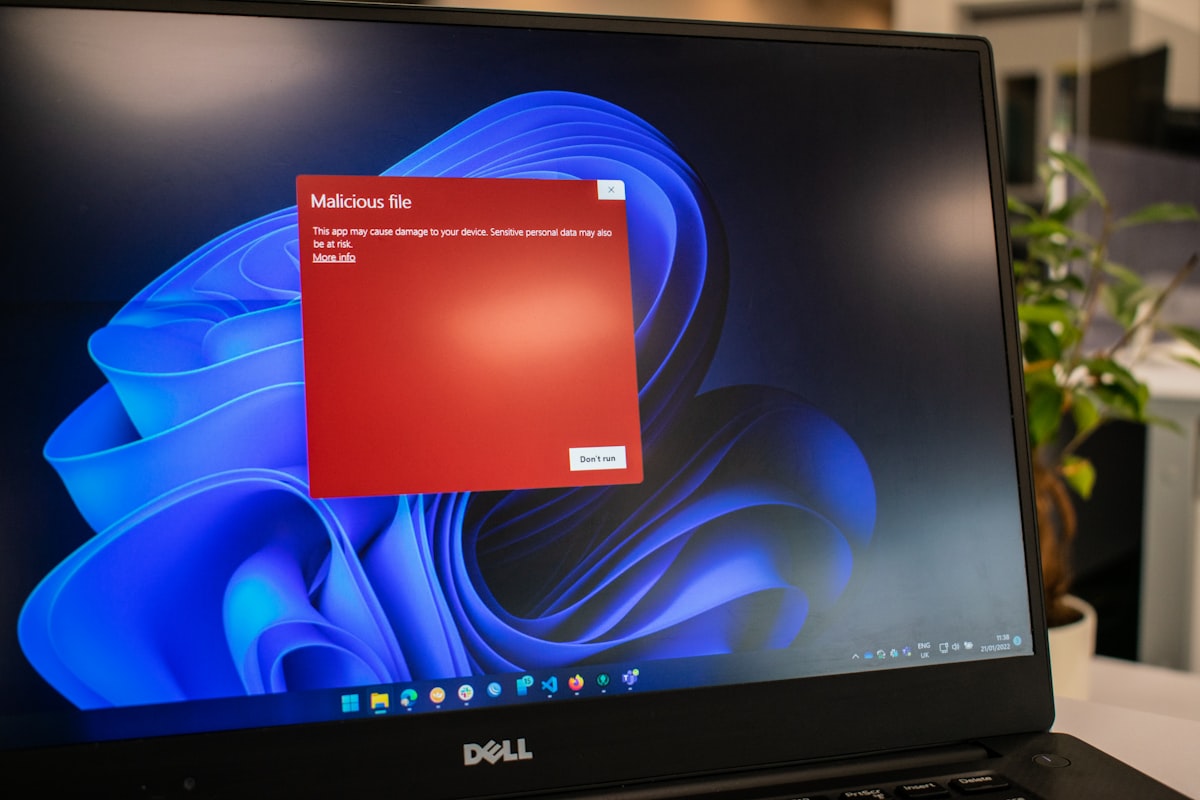
Technical Guides
Malware Protection for Cyber Essentials: What Qualifies and What Does Not
Malware protection looks simple - "we have antivirus" - but the question set asks specifically about configuration, coverage, and fallback approaches. This guide covers what qualifies under v3.3, including the application allow-listing alternative and the most common mistakes during assessment.
Read article
Technical Guides
Cyber Essentials v3.3: cloud services scope changes explained
v3.3 made cloud-service scoping explicit. IaaS, PaaS, and SaaS all need specific treatment in the self-assessment. This guide walks through how to describe each type and what the assessor expects.
Read article
Technical Guides
Cyber Essentials Firewall Requirements: What Assessors Actually Check
The firewall question looks simple but fails more submissions than people expect. This guide covers boundary firewalls, software firewalls, what v3.3 (Danzell) actually says about home routers for remote workers, default credentials, and the cloud firewall configuration assessors expect in 2026.
Read article