User Access Control for Cyber Essentials v3.3: the complete pillar guide
User Access Control is the pillar of Cyber Essentials that catches the most UK organisations out at assessment. This guide walks through every v3.3 requirement - individual accounts, MFA, admin separation, joiner-mover-leaver, third-party access - and the exact evidence assessors now expect.
Section 01
User Access Control for Cyber Essentials v3.3: the complete pillar guide
User Access Control is one of the five technical controls assessed under the Cyber Essentials scheme, and in 2026 it is the pillar that catches the most UK organisations out at assessment. The move to v3.3 sharpened the requirements in several places - particularly around MFA scope, admin-account separation, and third-party access - and the gap between what organisations think they have and what an assessor will actually accept has widened.
This guide covers every v3.3 requirement under the User Access Control pillar, the exact evidence an assessor now expects to see, and the specific configurations that pass or fail at submission.
Section 02
What the pillar covers
User Access Control under v3.3 addresses the full identity lifecycle across every account that can access in-scope systems, data, and services. It is assessed under five headings:
1. Individual accounts - no shared or generic accounts for real users.
2. Minimum necessary privilege - standard users do not have admin rights; admins have separate admin accounts.
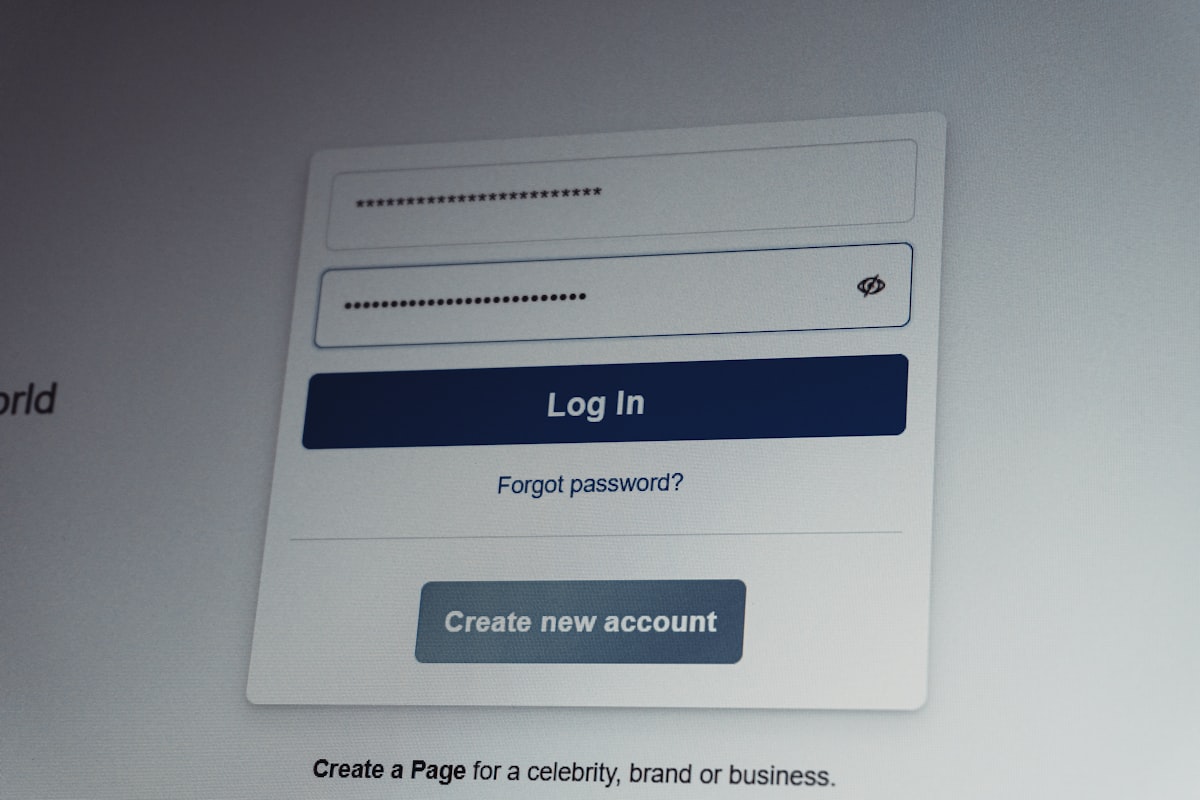
3. Authentication - the applicable password or passwordless controls, with MFA wherever available and always for cloud authentication.
4. Joiner-mover-leaver - accounts are created, updated, and removed in line with employment lifecycle.
5. Third-party and service-account control - unique human credentials and controlled access; unattended service principals are managed separately from human sign-in.
The pillar sits across every in-scope system: Windows and macOS endpoints, Microsoft 365 / Google Workspace tenants, line-of-business SaaS applications, VPN and remote access, and any server or cloud infrastructure that holds organisational data.
Section 03
1. Individual accounts
The rule is simple: every real user logs in with their own named account. No shared "admin@" mailbox as a login, no generic reception account, no single credential passed around.
What passes under v3.3:
- Every staff member has a named account on the identity provider (Entra ID, Google Workspace, Okta, or similar).
- Accounts are traceable to a real person (HR record or explicit documented approval).
- Shared-use devices (reception kiosk, shop-floor tablet) have a named account per user, or are tightly scoped to a single documented purpose with MFA.
What fails:
- Shared admin credentials between multiple MSP engineers or internal staff.
- Generic accounts used for day-to-day work ("we all log in as the office account").
- Service accounts used by humans for interactive login instead of automation.
Evidence the assessor asks for:
- User list export from the identity provider, matched against current headcount.
- Confirmation there are no active shared interactive accounts.
Section 04
2. Minimum necessary privilege (admin separation)
The current requirements specify that any user with admin rights must have separate accounts - a standard day-to-day account and a separate admin account - and must use the right one for the right task.
What passes:
- Every admin has a named admin account distinct from their day-to-day account.
- Day accounts have no local admin rights on endpoints.
- Admins use the admin account only for admin tasks (user management, system configuration, IdP changes).
- Service accounts used for automation are marked as non-interactive and protected from interactive sign-in.
What fails:
- One account used for both reading email and performing admin tasks.
- Administrative accounts used for ordinary email, browsing or other standard-user activities. A written exception does not replace separate administrative use.
- The MSP logs into a shared client admin account.
Evidence:
- Screenshot of Entra ID / Google Admin showing the admin role membership, and that each member holds both a day account and an admin account.
- Policy statement confirming the separation is enforced and audited.
See also: Cyber Essentials v3.3 admin account requirements.
Section 05
3. Authentication - passwords and MFA under v3.3
This is the area where v3.3 is strictest.
Passwords
Use technical password-quality controls: MFA (with at least eight characters for its password element), or at least twelve characters without a maximum-length restriction, or at least eight characters without a maximum-length restriction plus automatic common-password deny-list blocking. Separately protect password guessing through MFA, appropriate throttling or lockout. Throttling is not the eight-character deny-list alternative.
Support unique work passwords and usable secure storage, avoid regular forced expiry and complexity rules, and change passwords promptly when compromise is known or suspected. Retrospective breach monitoring is useful but does not establish preventive deny-list rejection.
Multi-factor authentication
Implement MFA wherever it is available. Authentication to cloud services must always use MFA. Check actual availability and enforcement for non-cloud VPNs, remote desktops and administrator interfaces rather than inventing a blanket all-account rule.
SMS is recognised by the scheme, including for administrators; suitable alternatives are recommended. Phishing-resistant passkeys or hardware keys are stronger hardening, not compulsory scheme factors.
What fails:
- MFA enforced only on admins, not on standard users with cloud access.
- Password-only cloud authentication, including an unintended policy exclusion.
- Users able to bypass MFA by logging in from "trusted" networks where the trust-decision is ungoverned.
- Legacy authentication enabled on Microsoft 365.
See the pillar guide: Multi-factor authentication for Cyber Essentials v3.3.
Evidence:
- Conditional Access / equivalent policy export showing MFA requirement per user group.
- Registration coverage plus effective policy and representative sign-in results; registration alone is not enforcement.
- Screenshot confirming legacy authentication is disabled.
Section 06
4. Joiner-mover-leaver
A user-access control is only as strong as the process that creates and removes accounts. v3.3 expects a documented lifecycle and evidence it runs.
What passes:
- Documented process covering account creation, role change, and termination.
- Accounts removed or disabled when no longer required, and access privileges removed when no longer needed. Local SLAs must achieve this; no universal same-day/30-day deadline is specified.
- Periodic access reviews are useful supporting practice; the scheme does not mandate an annual review frequency.
- Evidence that leavers' accounts, licenses, mailbox access, and MFA registrations are revoked.
What fails:
- No documented process.
- Active accounts belonging to people who left the organisation.
- Access not removed when people change role (e.g., former developer retains production access after moving to marketing).
Evidence:
- The written JML process.
- Sample leaver records with dated removal timestamps.
- Most recent access review output.
Section 07
5. Third-party and service-account control
Contractors, MSPs, and service accounts are one of the highest-risk areas and a frequent source of failed submissions.
What passes:
- Named accounts for every third party with access - no shared MSP admin credentials.
- Unattended machine identities restricted to their intended automation, with appropriate credentials and permissions. A human using an account interactively still needs the applicable user controls.
- Service-principal secrets rotated on a defined cadence and revoked when no longer needed.
- Written contract or onboarding record for each third party with access.
What fails:
- "The MSP logs in as us" using a shared credential.
- Service accounts used for human logins.
- Historical contractors still in the directory.
Evidence:
- Third-party access register.
- Service-principal / service-account inventory, with owner and purpose.
Section 08
v3.3 edge cases worth noting
Break-glass accounts. Plan supported emergency access and tested recovery as resilience practice. The scheme does not prescribe two accounts, sealed envelopes or annual testing. An emergency label does not waive cloud MFA; follow the provider's supported design with independent strong authentication.
Passwordless authentication. v3.3 recognises passwordless authentication, including FIDO2 passkeys; verify the actual factors and implementation rather than attributing a preferred-admin-factor mandate. See Cyber Essentials v3.3 and passwordless authentication.
Device unlock credentials. Under v3.3 the local unlock credential on an endpoint is in scope - the laptop PIN, the phone biometric. Device-only passwords or PINs need at least six characters and technical quality/guess protection; biometric methods also need guess protection. Credentials reused for authentication follow the full password rules. See Cyber Essentials v3.3 and device unlock.
Sub-set scoping. Access controls apply to the in-scope environment, not the whole organisation. See Cyber Essentials v3.3 sub-set scoping.
Section 09
Common reasons User Access Control submissions fail
Review these practical configuration gaps; they are not a measured first-quarter v3.3 cohort:
1. Uncovered cloud authentication. Verify that users and administrators actually use MFA; stronger factors are separately recommended.
2. No admin separation in small organisations claiming "we only have one admin." Still required - create the second account.
3. Shared MSP credentials. Split into named engineer accounts.
4. Legacy authentication still enabled on Microsoft 365. Disable via Security Defaults or Conditional Access.
5. Leaver accounts still active on secondary SaaS (the identity provider was cleaned up; the standalone SaaS tool was not).
6. Service accounts registered for interactive MFA - mark them non-interactive.
7. Conditional Access trusted-network bypass misconfigured so MFA is skipped from the office.
Section 10
Evidence checklist for the assessment
Minimum artefacts to have ready before submission:
- [ ] User list export from the identity provider.
- [ ] Admin role membership screenshot with day/admin account separation visible.
- [ ] MFA registration coverage, effective policy and representative sign-in results.
- [ ] Conditional Access (or equivalent) policy export showing MFA rules.
- [ ] Password policy export (length, complexity, rotation).
- [ ] JML process document.
- [ ] Most recent access review output.
- [ ] Third-party access register.
- [ ] Service-account inventory.
- [ ] Emergency-access/recovery design where used, as supporting resilience evidence.
Section 11
The fastest path to compliant User Access Control
The organisations that pass User Access Control on the first submission typically do three things in the 48 hours before submitting:
1. Export and sanity-check the user list. Compare against HR headcount. Disable everyone who shouldn't be there.
2. Run a Conditional Access audit. Export every policy, confirm effective MFA for cloud authentication and wherever available on other remote-access paths, and investigate password-only legacy routes.
3. Document the JML process if it isn't already written down, and attach it to the submission.
A fully prepared submission on this pillar is 30 minutes of work. An unprepared one can cost a week and a failed first submission.
Section 12
Bottom line
User Access Control under v3.3 comes down to: named accounts, separated privileges, MFA everywhere that matters, documented joiner-mover-leaver, and no shared credentials with third parties. Get those five right and the pillar is a strong part of your submission. The assessment evidence is routine to produce if the underlying controls are in place - and at Fig Group, a clean submission is reviewed and certified within 6 working hours for complete compliant submissions received before midday on a UK business day.
Start Cyber Essentials from £299.99 + VAT | MFA pillar guide | Admin accounts guide | All pricing
About the author

Jay Hopkins
Managing Director, Fig Group
Jay Hopkins is the Managing Director of Fig Group and an IASME-licensed Cyber Essentials assessor. He was previously Head of Technology for a global regulated firm. He works with UK organisations across regulated sectors on baseline compliance, supply-chain assurance, and AI-augmented security tooling.
Next step
Want to see how Fig Group handles this?
Discover how Fig Group helps organisations prepare for security assessments and maintain ongoing compliance.
Request a demoRelated guides
Continue reading

Technical Guides
Multi-factor authentication for Cyber Essentials v3.3: the complete pillar guide
MFA is the single most common reason Cyber Essentials v3.3 submissions fail. This pillar explains which accounts need MFA, which methods are acceptable, and how to implement it across Microsoft 365, Google Workspace, and line-of-business SaaS.
Read article
Technical Guides
Security Update Management for Cyber Essentials v3.3: the complete pillar guide
Security Update Management is the quietest-looking pillar of Cyber Essentials and the one organisations most often fail on at renewal. This guide covers every v3.3 requirement - the 14-day rule, supported OS versions, mobile and firmware, cloud-service patching - and the evidence an assessor will now accept.
Read article
Technical Guides
Cyber Essentials v3.3: cloud services scope changes explained
v3.3 made cloud-service scoping explicit. IaaS, PaaS, and SaaS all need specific treatment in the self-assessment. This guide walks through how to describe each type and what the assessor expects.
Read article