EPSS and CISA KEV Prioritisation
Vulnerabilities scored using Exploit Prediction Scoring System (EPSS) and CISA Known Exploited Vulnerabilities (KEV) data, not just CVSS severity. All decisions remain auditable.
Consolidate scanner output, enrich it with exploit context and asset importance, then drive remediation through accountable workflows.

Multiple scanners produce conflicting data. Severity-only prioritisation misses actively exploited CVEs. Manual remediation tracking breaks under scale.
Vulnerabilities scored using Exploit Prediction Scoring System (EPSS) and CISA Known Exploited Vulnerabilities (KEV) data, not just CVSS severity. All decisions remain auditable.
Normalise output from multiple scanner sources into one consolidated portfolio view.
Every accepted risk records who approved it, why, what conditions apply, the scheduled review date, and links to the risk register. Revocation tracked automatically.
Structured packs linking findings, remediation actions, ownership chains, and verification outcomes.
This page covers vulnerability management in the Fig platform. You can also commission a separately scoped assessment.
Explore vulnerability scanning servicesFig Group manages findings from scanner sources alongside asset context, remediation work and verification evidence. The platform helps teams decide what to fix and explain the outcome; a separately scoped scanning service is available when you need an assessment performed.
Review applicability, asset exposure, business importance and exploitation context alongside technical severity. EPSS and CISA KEV provide different exploitation signals; neither replaces checking your environment. Keep the reason for the priority visible and revisit it when exposure, threat information or business use changes.
Check fresh evidence of the affected condition after treatment, such as a repeat scan or an appropriate configuration check. A closed ticket alone is not verification. Keep unsuccessful fixes actionable, and record accepted exceptions separately with their authority, conditions and review date.
Set scan frequency using exposure, change rate, asset importance and applicable obligations. Agree authorisation, coverage and operational constraints before scanning. For the Fig Group platform, confirm your scanner products, versions, available findings and refresh arrangements; for the separate scanning service, agree assessment scope and deliverables in its own quote.
Two fictional findings compete for attention: a severe issue on an isolated test system and a lower-severity issue on an exposed customer service with known exploitation context. Review the assumptions, prioritise the exposed service where justified and retain a treatment plan for both. Verify the result after the change.
Ask to see the original scanner finding, asset context, priority rationale, remediation owner and fresh verification evidence without losing the source references.
Discuss this workflow with FigExplore the attack traversal heatmap view within the Fig platform.
A tailored walkthrough lets you review the relevant workflows, supported connections and reporting before deciding whether Fig is right for your team.
See it in a demo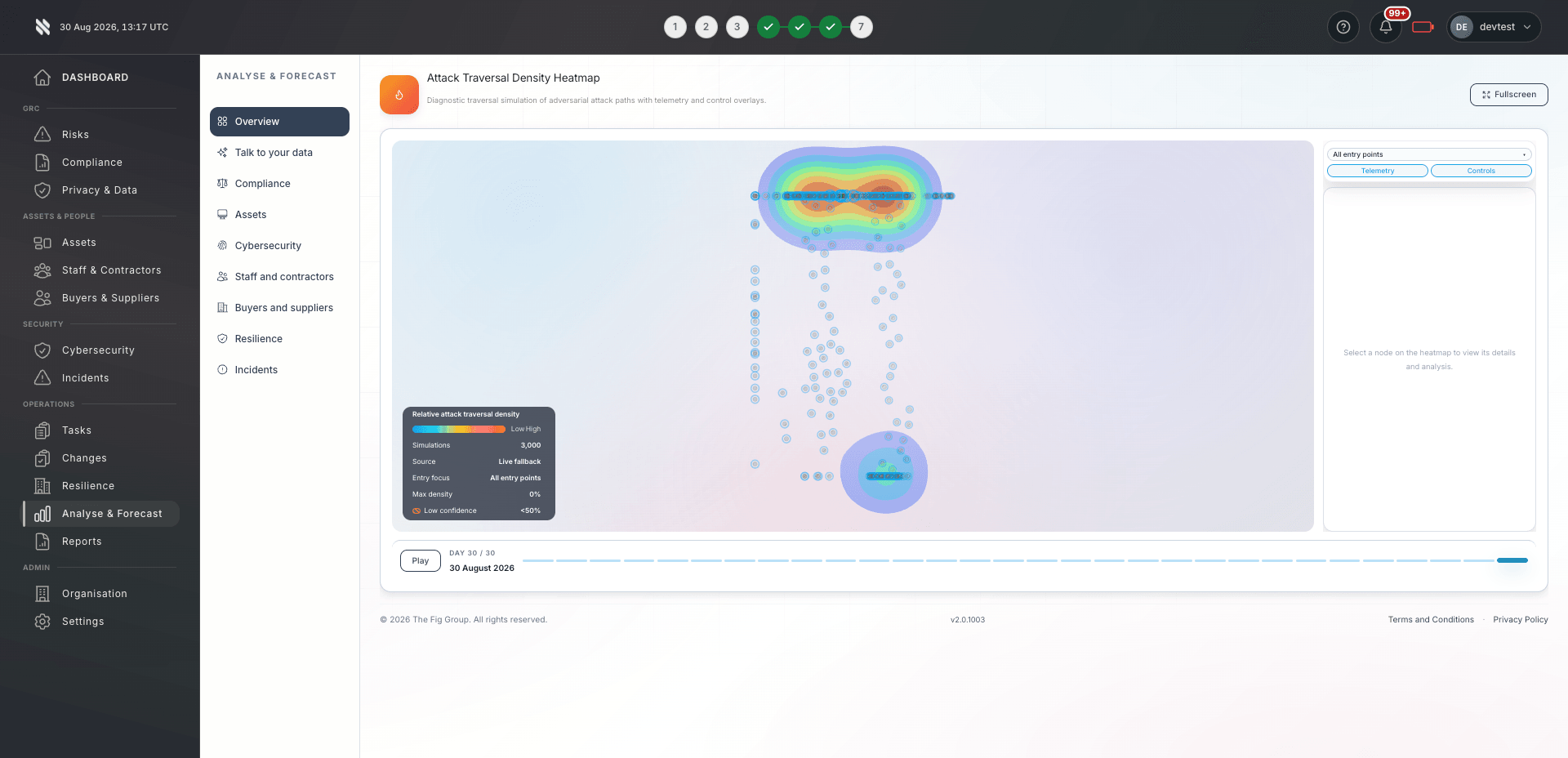
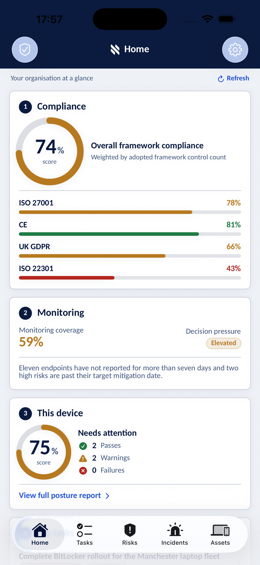
Bring delivery, oversight and assurance together without losing sight of who owns the next action.

Multi-client, multi-scanner management with consistent workflows across CMMC, Cyber Essentials, and CS&R frameworks.
Explore Fig for MSPs
Operational vulnerability work converts directly into compliance outputs. Reuse connected evidence to reduce duplicate effort.
Explore Fig for organisations
Programme effectiveness reporting linked to controls and risk registers.
Discuss your requirementsStart with the outcomes you need. We will discuss scope, delivery and commercial terms with you before you commit.
Bring a sample finding, scanner details and an asset list. Confirm supported connections, matching and which systems remain outside coverage.
Agree prioritisation inputs, owners, deadlines, approval paths and the evidence required for exceptions.
Take one finding through treatment and a fresh verification check. Inspect the history and reporting for a failed fix before extending the workflow.
Platform functionality and automation depend on the agreed scope, configuration and connected systems. Software supports your compliance programme; it does not replace an independent assessment or guarantee certification.
Need to discuss a specific requirement or client scenario?
Speak to FigDiscuss your scanner products and versions with us during the demonstration. We will confirm the supported connections, available findings and any configuration requirements for your proposed deployment.
Fig Group overlays exploit intelligence and asset context on top of CVSS scores to prioritise vulnerabilities that are actively being exploited in the wild.
Review the scanner evidence against the affected asset and configuration, then document why a finding is disputed or not applicable. A false positive is different from an accepted risk: accepting risk acknowledges a real exposure and needs its own justification, approval and review date.
Yes. Remediation SLAs are configurable per client, asset criticality, and vulnerability severity. Fig Group tracks SLA compliance and escalates overdue items automatically to the assigned owner and their manager.
No. Fig Group sits on top of your current scanners and normalises their output into one view. You keep running the scanners you already have, and Fig Group handles consolidation, prioritisation, and evidence packaging.
The workflow covers reporting, triage, remediation, verification and closure, with disclosure where appropriate. Owners, actions and status changes are retained alongside the finding so teams can review progress and supporting evidence.
Prioritise vulnerabilities using applicability, exploitation evidence, exposure and business impact alongside severity. Preserve each input and the reason for the decision, then assign work and verify the fix.
Use the guide and templateTell us what you would like to achieve. We will arrange a relevant conversation about the platform, your requirements and the right next step.
Continue exploring the protect capabilities, or return to the full platform overview.